Your combinations, your choice
Choose bankers and legs, or combine legs without a banker. Calculate Quinella and Quinella Place separately.
 Smile to WinSMILE TO WIN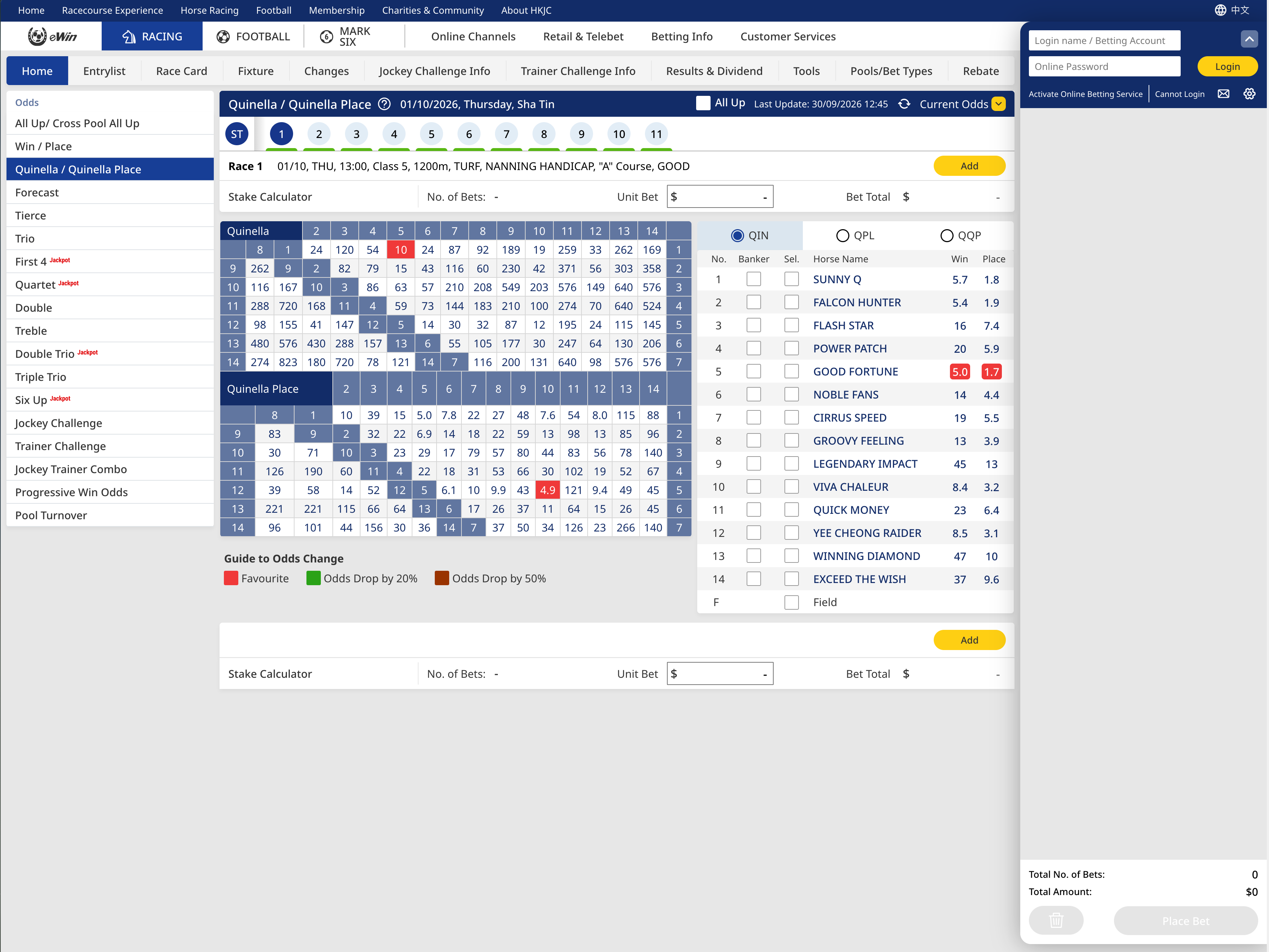
For calculation reference only. No race predictions or guaranteed returns.
Composite of an HKJC screenshot and Addon interface, not live odds.
Smile to Win is an independent tool, not an HKJC product.
Allocate your budget across Quinella and Quinella Place combinations.
Calculate on the HKJC page, then review and submit yourself.
Choose bankers and legs, or combine legs without a banker. Calculate Quinella and Quinella Place separately.
Calculate each stake using the odds shown on the page, with a $10 minimum per bet and $10 increments.
Add your calculated combinations in one click. You review the details and confirm submission on the HKJC website.
Download and load the extension into Chrome or Microsoft Edge.
A few simple steps to set up your dutching tool.
① Download and unzip: Click the blue “Download Chrome extension” button. On Windows, right-click the ZIP and choose “Extract All”. On Mac, double-click the ZIP.
② Open the extensions page: Open a new tab in desktop Chrome or Microsoft Edge, type chrome://extensions(Chrome) or edge://extensions(Edge) in the address bar at the top, then press Enter.
③ Enable manual installation: Turn on “Developer mode”, then click “Load unpacked”.
④ Choose the folder: Select the folder you just unzipped. Installation is complete when the “Smile to Win” extension card appears and is enabled.
Do not move or delete this folder after installation. Return to the HKJC “Quinella / Quinella Place” page and refresh to load the tool.
Register in the extension, follow the verification link in your email, then sign in.
Follow the payment instructions and upload proof of payment. We will review it within 1 hour of submission. Once approved, sign in again to access all features for that race day.
Chrome is shown below. The steps are the same in Edge; button labels and positions may vary.
Extract the download first. You will load the extracted folder, not the ZIP file.
Enter chrome://extensions in the address bar, enable Developer mode, then click Load unpacked.
Select the extracted folder. After loading, check that Smile to Win is enabled.
After installation, return to the HKJC Quinella / Quinella Place page and refresh.
No monthly fee. No automatic renewal.
One payment unlocks every race that day,
Quinella, Quinella Place and all tool features.
Payment proof reviewed within 1 hour of submission. Access is activated once approved.
Dutching distributes a budget across selected outcomes so that the payout is as similar as possible when one selected outcome wins. It is sometimes described as an equal-profit betting method, but equal does not mean profitable: a payout can be below the total stake, or every selected combination can lose.
Educational reference only, not the extension's actual member calculation. The demo allocates proportionally to odds, then adjusts to a $10 minimum per combination and multiples of $10; payouts can differ.